
[intro]In this guide, you’ll learn how to manage bad backlinks pointing at your EKM online shop and as a result, improve your SEO performance. [/intro]
[caution]Before you begin this guide, ensure that you have set up and configured a Google Search Console account for your EKM online shop. [/caution]
What are bad backlinks?
Bad backlinks are links from low-quality, irrelevant, or spammy websites that point to your EKM online shop. While not all backlinks are harmful, having many poor-quality links can negatively affect your SEO performance and search engine rankings.
Google uses backlinks as a signal of trust and relevance. In the past, some websites attempted to manipulate rankings by building large volumes of low-quality links. In response, Google introduced penalties for sites associated with these practices. Although Google understands that website owners are not always responsible for bad backlinks, a significant number of them can still pose a risk if left unmanaged. For this reason, it’s important to regularly review your backlink profile and act where necessary.
How to identify bad backlinks
There are several indicators that a backlink may be harmful. In many cases, poor-quality links are easy to spot, particularly when the linking website appears untrustworthy or irrelevant. Common signs of bad backlinks include:
- Links from websites created solely for SEO purposes, often with poor design, spelling or grammar
- Links placed in forum comments or blog comment sections that you did not create
- Anchor text that is unrelated to your business or uses inappropriate language
- Links from websites in countries you do not operate in
- Links from adult, gambling, or other unsuitable websites
While SEO tools can help, manual review remains important when assessing backlink quality.
Do bad backlinks need to be removed?
Not all bad backlinks require immediate action. Google recognises that some low-quality links occur naturally and are outside the website owner’s control. However, if a website has many spammy backlinks, it is safer to address them rather than risk potential ranking issues. As a general best practice, it is recommended to identify and disavow harmful backlinks, particularly if they appear unnatural or excessive.
Locating the Page
1. From the dashboard, click the Backlinks tab in the top right-hand corner, and click Backlink Healthcheck on the drop-down menu:
2. At the top of the page, you’ll see three headers. Pending is where links that require your attention are sorted, and this is the default view. You can filter pending backlinks using the Max Domain Authority drop-down and Search fields. You can click the down-arrow next to each link: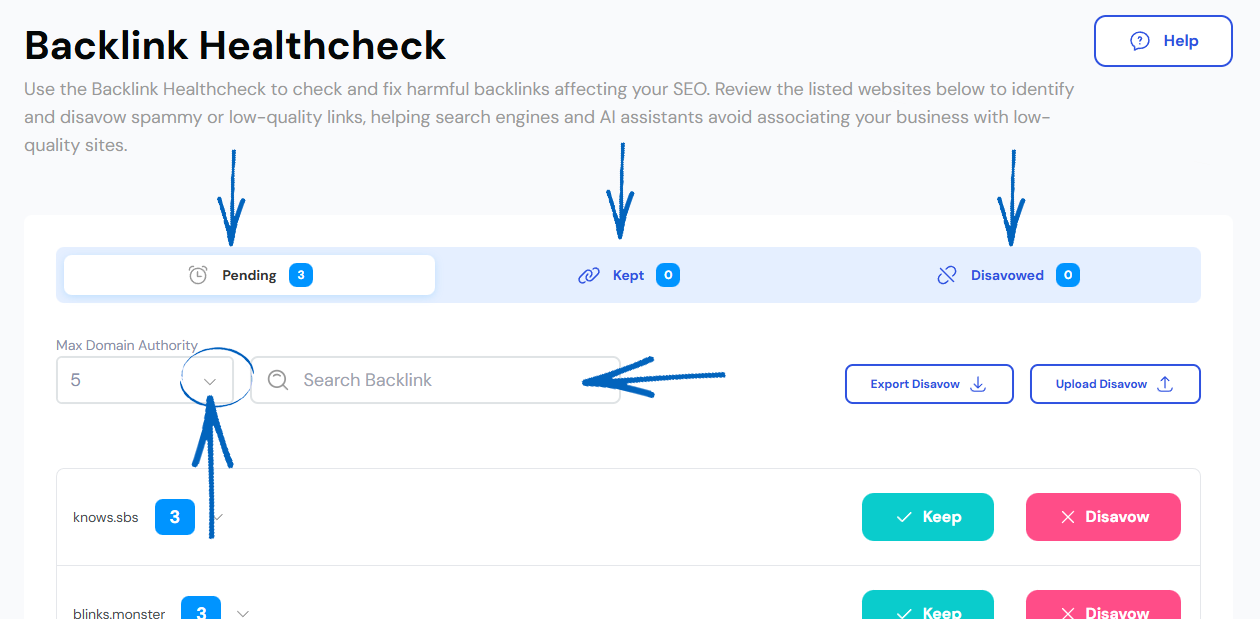
[remember] The domain authority score you see next to your backlinks on the platform is a metric that predicts how well a website will rank in search engine results. Those with higher scores (in green) indicate a greater ability to rank. The domain authority scale on the EKM SEO platform goes from 1 to 10, with 10 being the highest domain authority score.
A backlink from a domain with high domain authority is generally considered valuable because it can potentially improve the ranking and visibility of the linked website in search engines. 'Bad' websites, in most cases, have a low SEO score though not all websites with a low score are necessarily bad. If you’re not sure, think about the website with the backlink on it – would potential customers use it to locate your products and your EKM online shop? If the answer is no, then disavowing is the right choice. [/remember]
3. This will reveal the URL that contains the backlink pointing at your EKM online shop: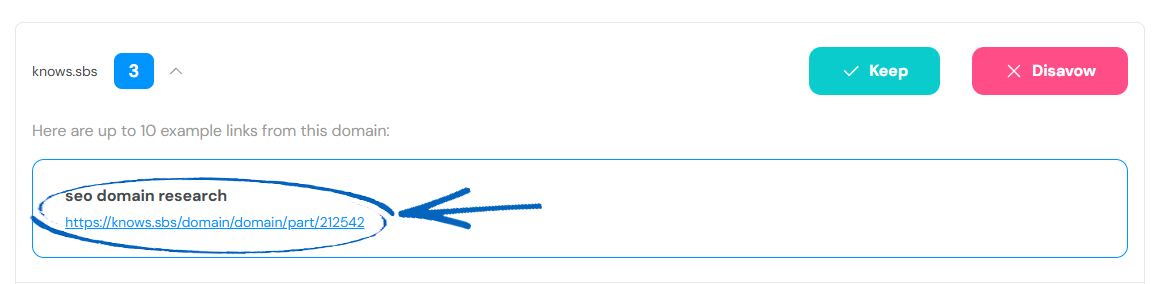
4. If you click the backlink, you can decide whether you want to disavow it, judging on the content of the referring website. To disavow it, click the pink button on the right-hand side: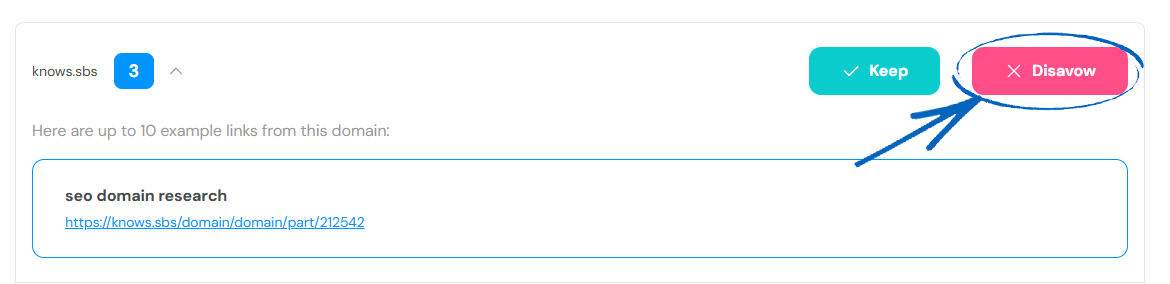
5. Repeat this process with the rest of backlinks you would like to disavow. Obviously, if there are any backlinks you would like to retain, click the Keep button: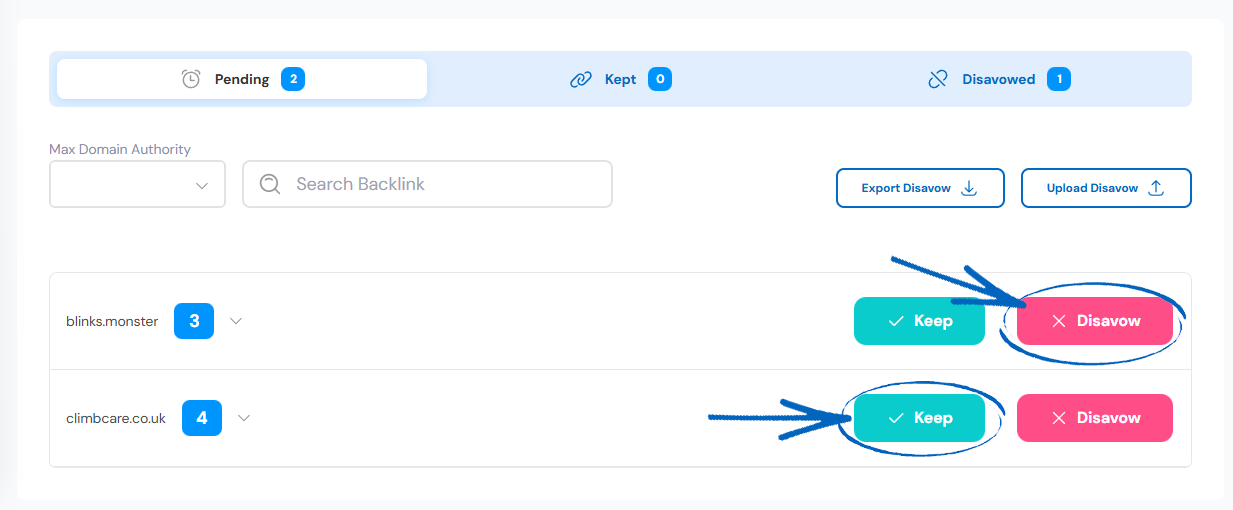
6. At the top of the page, you click Export Disavow to download your disavowed backlinks in .txt format. Then you need to click Upload Disavow: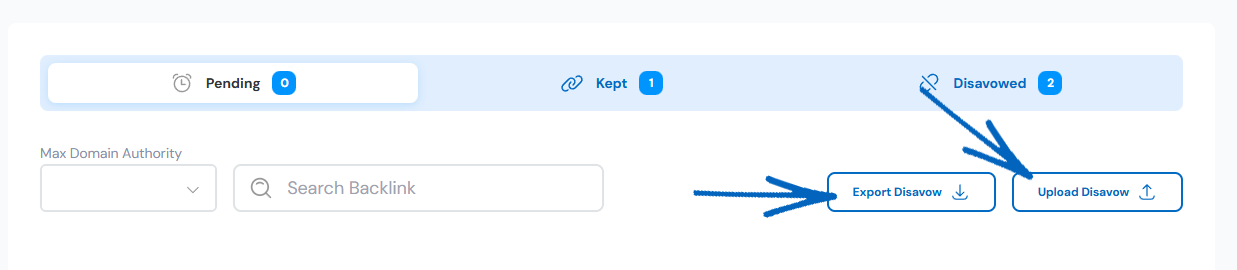
7. You’ll then see this modal. Click the blue button to continue: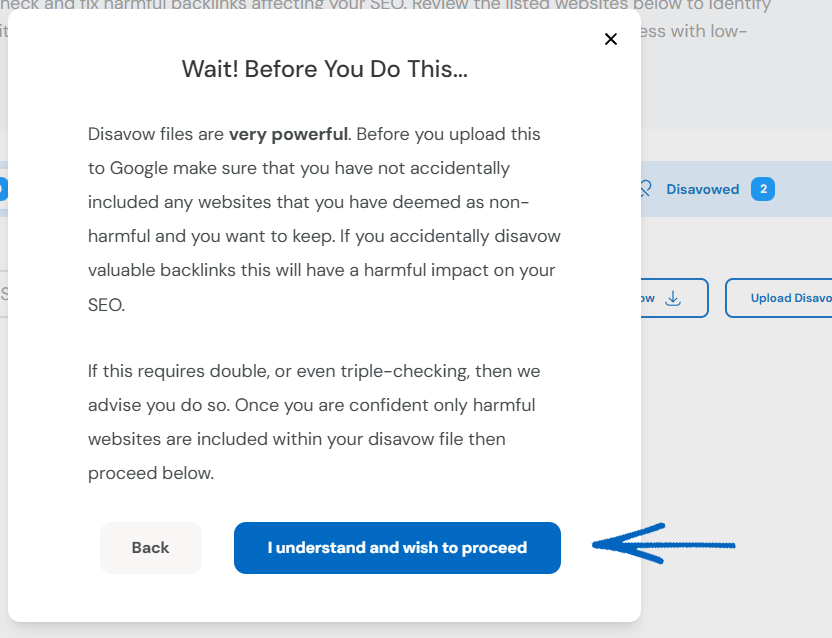
8. You’ll then be redirected to a page within your Google Search Console. If applicable, select the relevant property from the drop-down menu: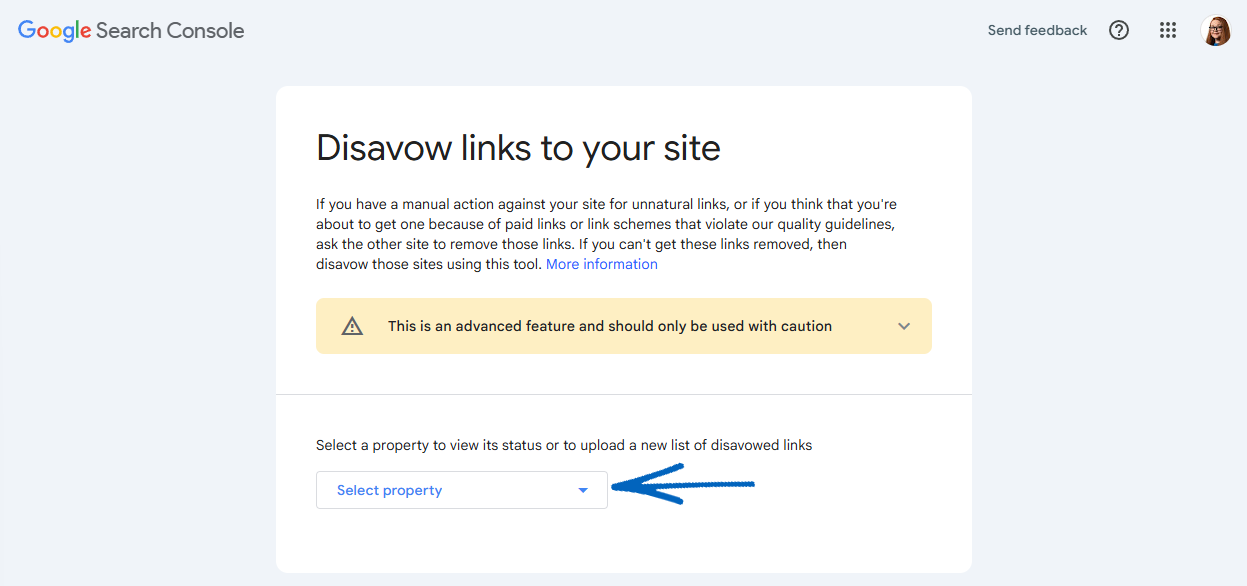
[caution]If you see the message ‘Domain properties are not supported at this time’ – this is because the URL for your EKM online shop requires a ‘URL-prefix property’: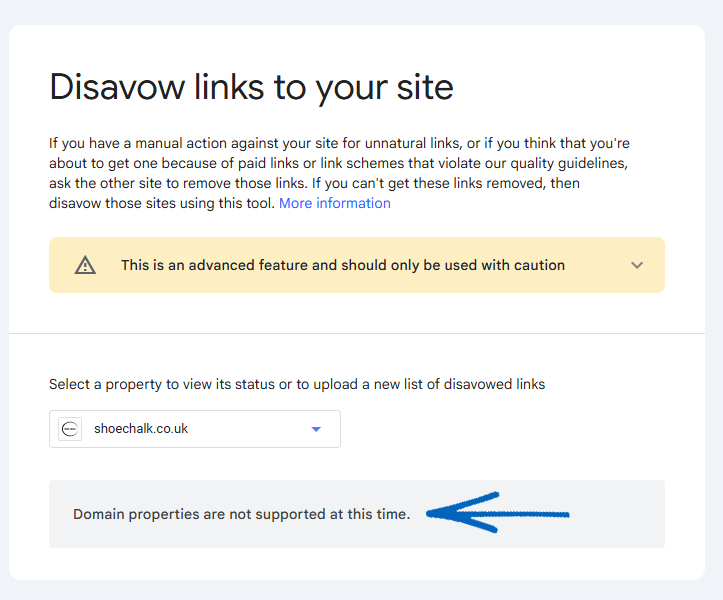
To do this, in your Google Search Console account, click Add Property and enter the full URL of your EKM online shop, for example: https://www.[yourURL]. You should then be able to upload your disavow list following the steps below. [/caution]
9. You then need to click Upload Disavow list in the bottom right-hand corner, and select the Disavow.txt file from your computer: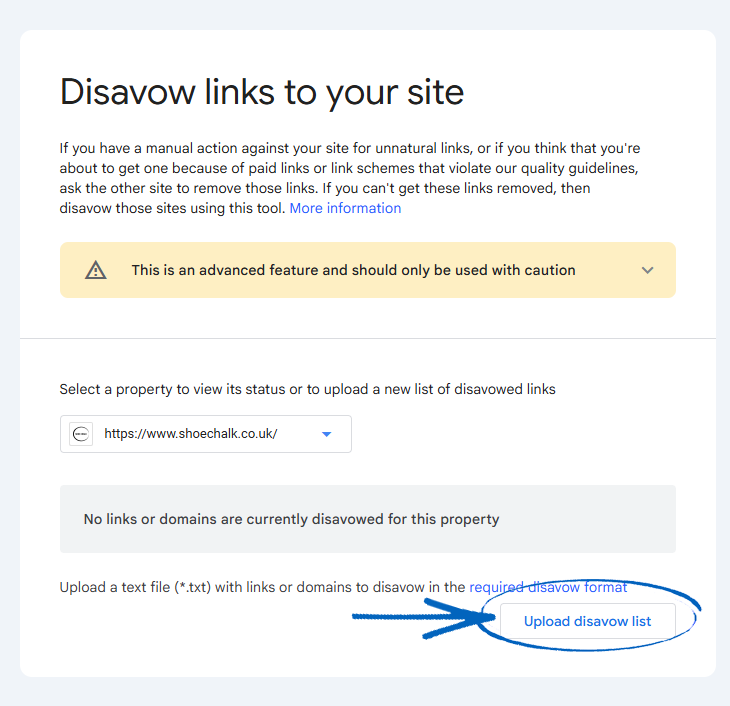
10. You’ll then see a summary of the backlinks that have been disavowed below: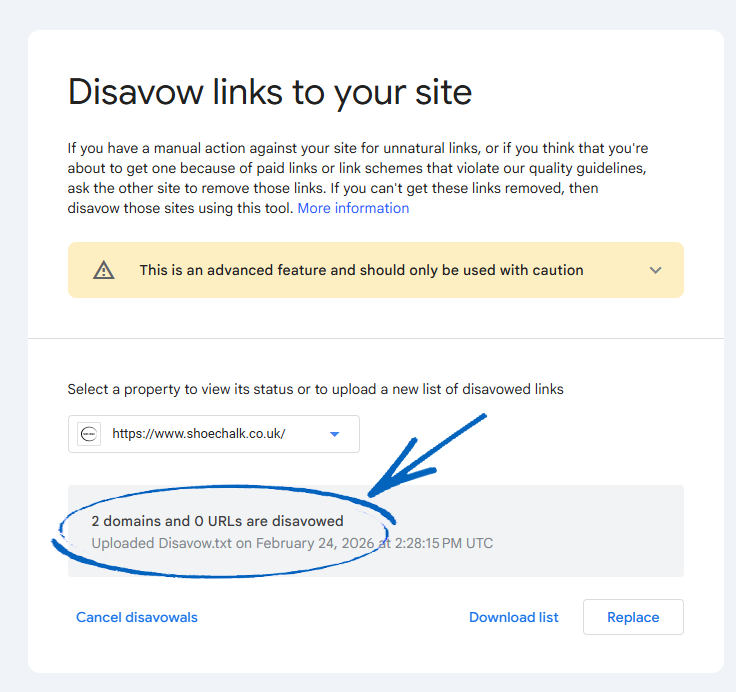
[remember] It can take several weeks or even months for Google to process your disavow file and for the resulting changes to be reflected in your rankings. [/remember]
[more]
[/more]
[contact]If you need our help with your EKM online shop, contact the Customer Support Team, who can point you in the right direction. Our opening hours are 9 am - 5.30 pm Monday to Friday, for telephone calls, live chats, and emails. Outside of these hours, you can leave a message for us in the live chat window or email support@ekm.com, and we will answer as soon as possible. If you'd like to suggest a feature or an upgrade on any of the EKM platforms, please let us know on the EKM Suggestions Board. [/contact]