
[intro]Using Competitor Analysis, you can see the keywords and backlinks of your competitors and use these to improve your own SEO strategy. [/intro]
[summary]
[/summary]
During the onboarding process for the EKM SEO platform, you can select up to five competitors whose activities you can use as a benchmark for your own SEO strategy. The EKM SEO platform can then let you know:
What keywords your competitors rank for - useful for seeing their keyword strategy and applying this learning to your own SEO.
What backlinks your competitors have – so you can see where they’re gaining their traffic from, which in turn helps you to identify new backlink opportunities for your EKM online shop.
What blog posts are increasing their traffic – the EKM SEO platform can identify these for you and add them as suggestions within Content Strategy.
Locating the Page
1. From the dashboard, click the Strategy tab, and then click Competitor Analysis from the drop-down menu:
2. You’ll then see this page: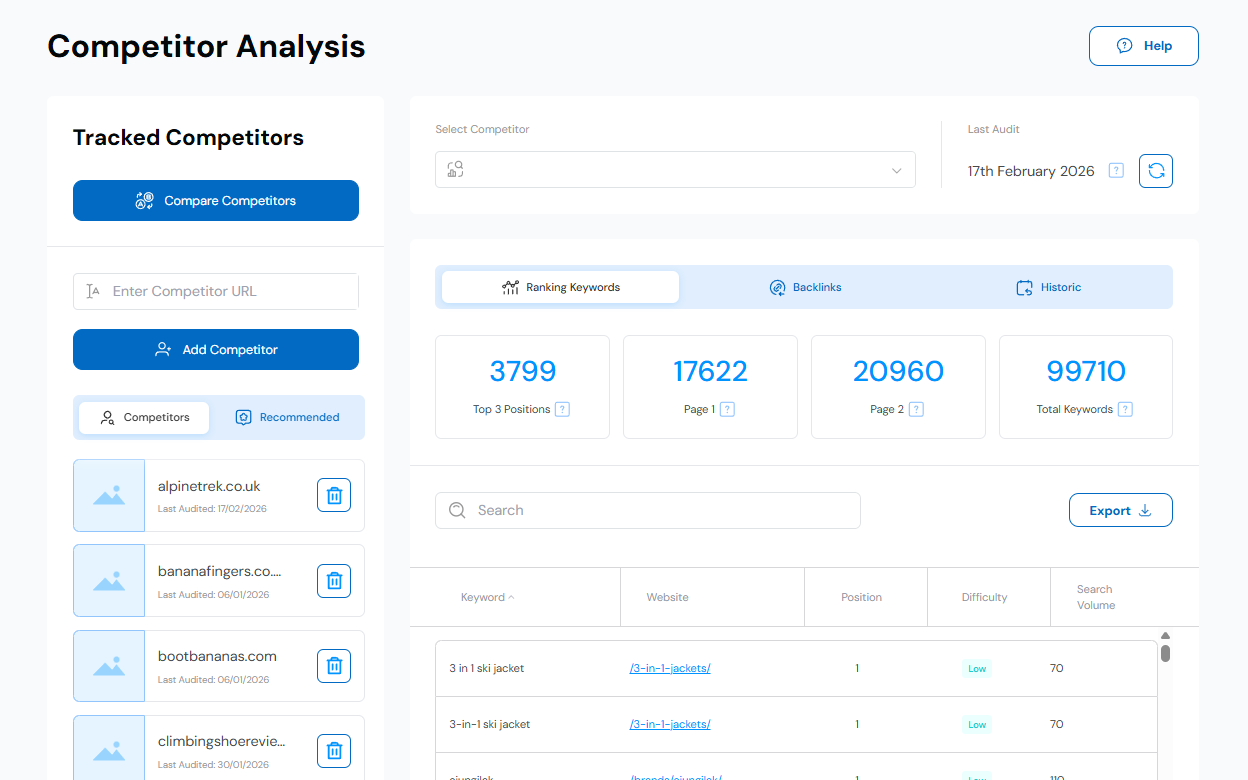
Adding and Removing Competitors
3. On the left-hand side, you’ll see a list of the competitors you added during your onboarding onto EKM SEO. If you did not select all five, you can add more now by either entering their URL into the filed provided and click Add Competitor: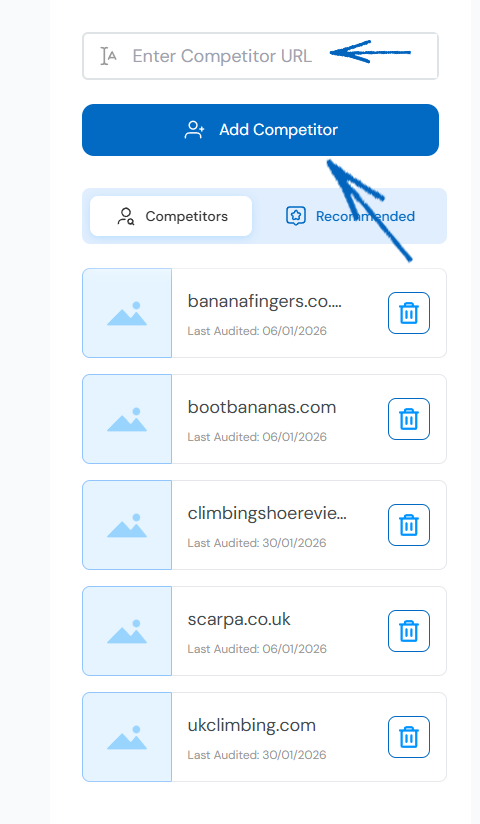
4. Alternatively, click the Recommended tab to see any potential competitors that EKM SEO has identified for you: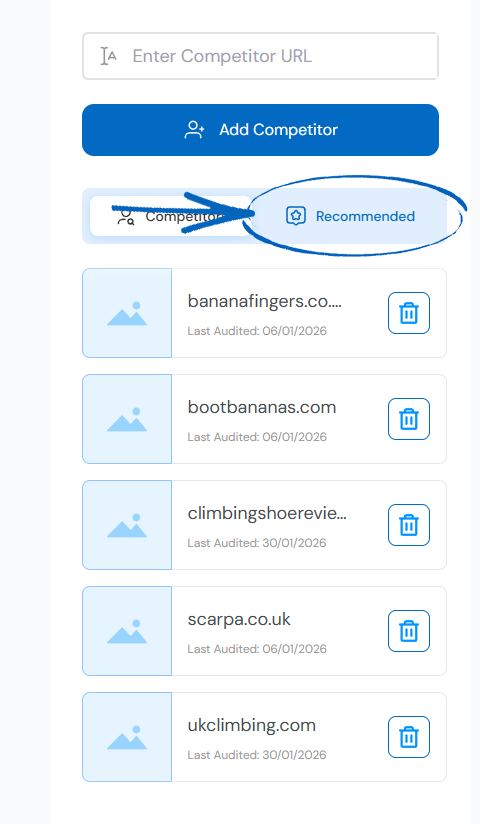
5. To add a competitor from the Recommended tab, click the plus symbol: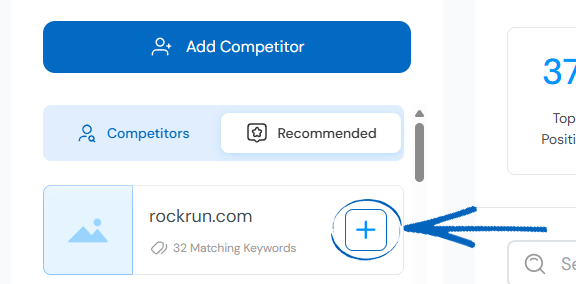
How to Choose Competitors
EKM SEO may suggest competitors based on overlapping keywords, but it’s important to choose businesses that truly match yours. Look for like-for-like competitors – choose ecommerce websites that offer similar products or services in the same or nearby locations. Add the URLs that you see appear high in Google for terms your customers might use (e.g. if you're a plumber, add the websites that rank high for the keyword 'local plumber' or 'plumber near me' in Google).
Analysing your Competitors
6. Towards the top of the page, you’ll see a drop-down field. Use this to select one of your chosen competitors. You’ll also notice on the right-hand side the date that the EKM SEO platform last crawled that URL. You can refresh this by clicking the button: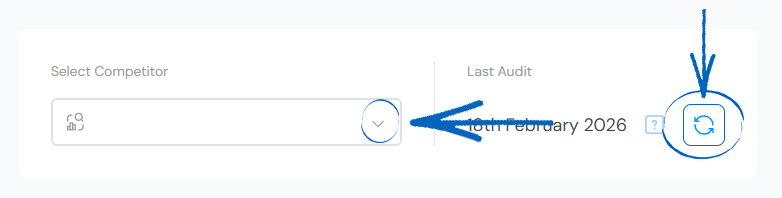
7. Further down the page, you’ll be able to see a breakdown of that competitor’s keywords, backlinks and positions within Google search results. You can click to navigate between the Ranking Keywords, Backlinks and Historic tabs at the top, and below this, you’ll see a summary of the totals for each tab: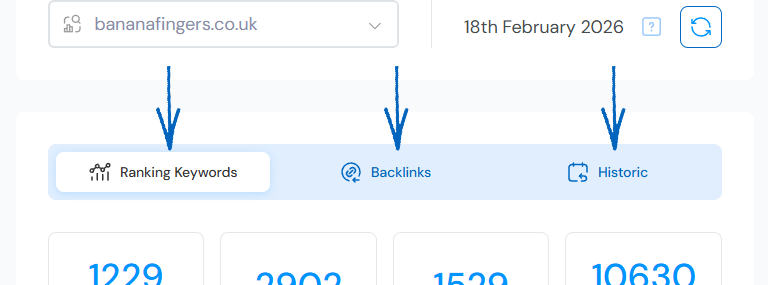
Ranking Keywords
8. The Ranking Keywords tab will display all the ranking keywords for your selected competitor. Towards the top of the page, you’ll see the following totals:
Top 3 Positions – This lists the total number of keywords that EKM SEO monitors on that competitor’s site, and where they rank within the first 3 positions of Google Search results.
Page 1 – This also lists the total number of keywords that EKM SEO monitors and shows where the competitor’s website ranks on the first page of Google search results. This also includes the count of keywords in positions 1-3 in Google search results.
Page 2 – This also lists the total number of keywords that EKM SEO monitors and shows where the competitor website ranks on the second page of Google search engine results.
Total Keywords - This also lists the total number of keywords that EKM SEO monitors and shows where the competitor website ranks on the first ten pages of Google search engine results.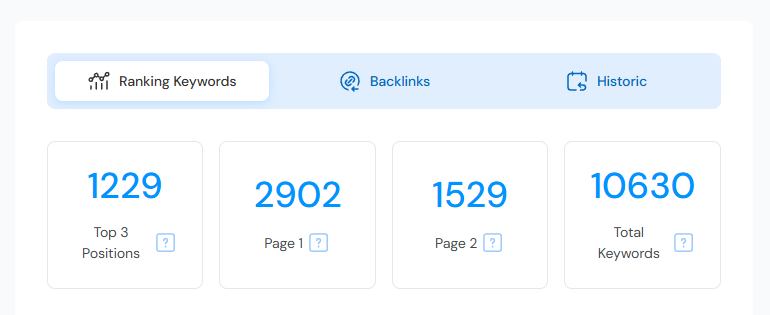
9. Below this, you can use the Search field provided to look up a specific keyword from your competitor’s ecommerce website and export the ranking keywords data for this competitor to a spreadsheet: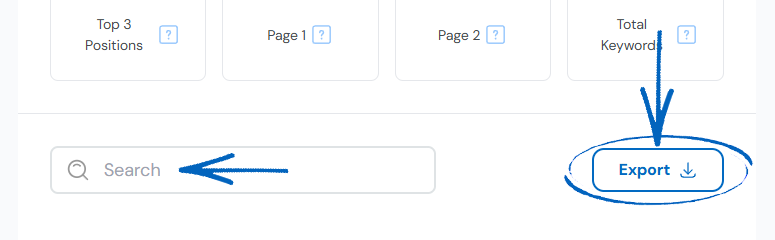
10. The table beneath the lists a breakdown of those keywords. You can click the arrow at the top to arrange these listings from A-Z or Z-A. Click the links to view the pages of your competitor’s website that ranks for that keyword: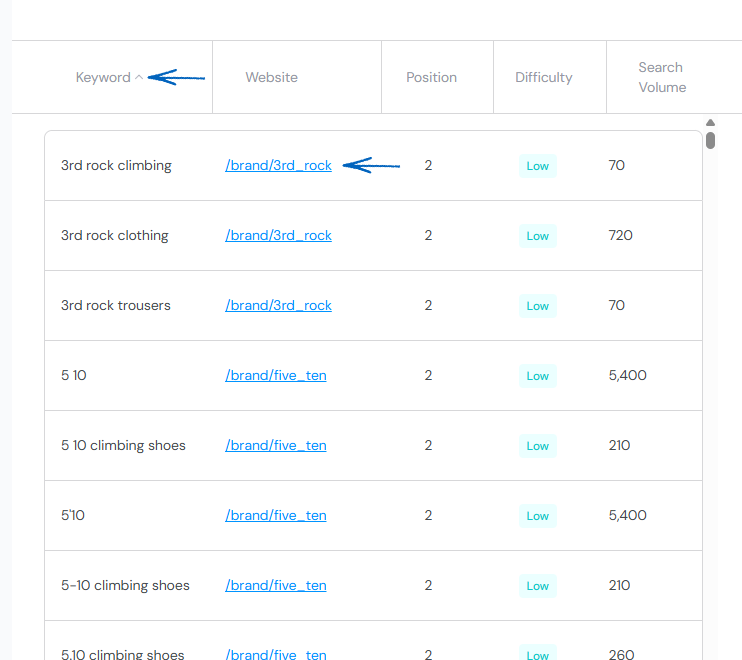
[tips] A metric (low to very high) indicates the challenge of ranking for a keyword, accounting for factors like competing content quality and domain authority. As a good rule of thumb, prioritise lower scoring, more niche keywords for a better chance of higher rankings. [/tips]
Backlinks
11. The Backlinks tab will display all the backlinks that your selected competitor currently has. Towards the top of the page, you’ll see the following totals:
Domain Authority – This is calculate using proprietary metrics that assess the overall credibility and influence of a website based on its network of backlinks.
Number of Referring Domains – This is the number of unique domains that each host at least one backlink pointing to this competitor’s website.
Number of External Backlinks – This total represents the number of individual backlinks directing users to this competitor’s website. 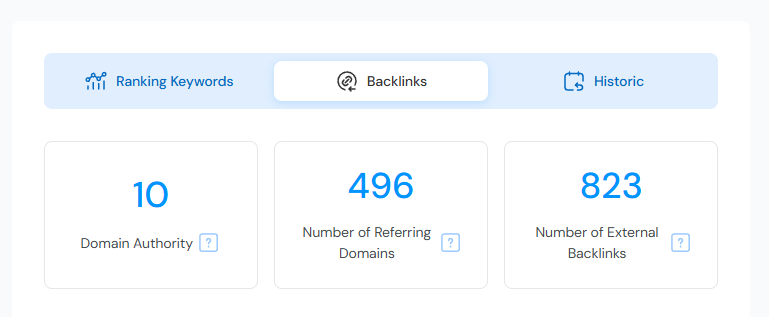
12. Below this, you can use the Search field provided to look up a specific backlink from your competitor’s ecommerce website and export the backlink data for this competitor to a spreadsheet: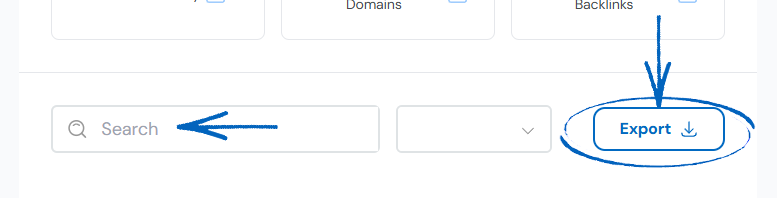
13. The table beneath the lists a breakdown of those backlinks. You can click the arrows at the top to arrange these listings from A-Z or Z-A. Click the link to view the page of your competitor’s website that ranks for that keyword: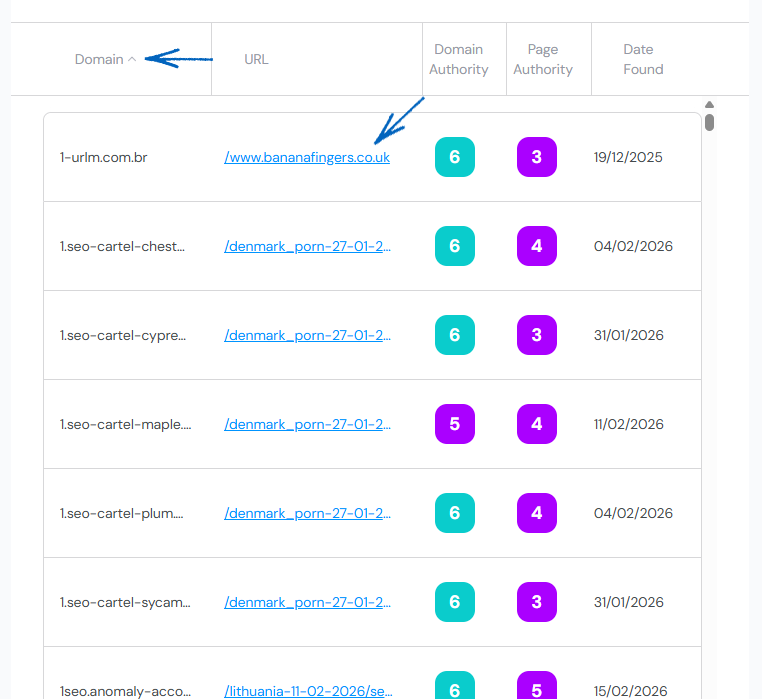
What is Link Equity?
Link equity can be seen as the reputation and influence a website gains through backlinks from other sites. These links act like upvotes, boosting your site's credibility in the eyes of search engines. By grasping how link equity flows through the internet, you gain insight into enhancing your EKM online shop’s visibility and ranking potential.
The more quality backlinks you have, the higher your link equity will be. This means search engines like Google will view your EKM online shop as more authoritative and trustworthy.
Assessing authority is one of the key factors that influence link equity. Websites with high authority passing links can significantly boost authority and credibility. On the other hand, low-quality or spammy backlinks can harm link equity and SEO efforts. There are two popular metrics for measuring authority: Domain Authority and Page Authority.
What is Domain Authority and Page Authority?
This is a metric that predicts how well a website will rank in search engine results. Those with higher scores on the platform indicate a greater ability to rank. The domain authority scale on the platform goes from 1 to 10, with 10 being the highest domain authority score.
A backlink from a domain with high domain authority is generally considered valuable because it can potentially improve the ranking and visibility of the linked website in search engines. 'Bad' websites, in most cases, have a low SEO score, though not all websites with a low score are necessarily bad.
[tips] You can improve your keyword rankings by building high Domain Authority (DA) backlinks that point back to your EKM online shop. The Competitor Opportunities page in your EKM SEO account can help you with this. [/tips]
Historic
14. The Historic tab will display all the backlinks that your selected competitor currently has. This loads by default on the Keyword Comparison view – you can adjust the views by using the drop-down menu at the top of the page: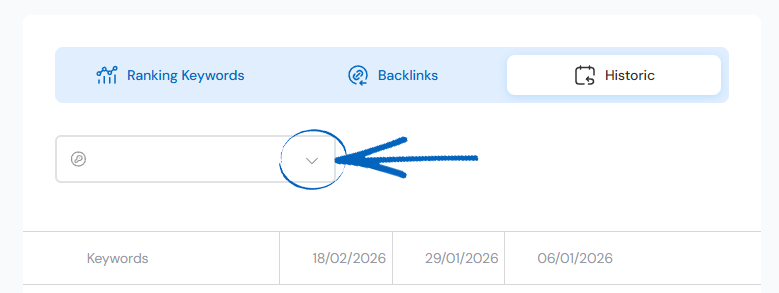
Keyword Comparison
15. This view will display a summary of the keywords used by your competitor and their positions within Google search Results: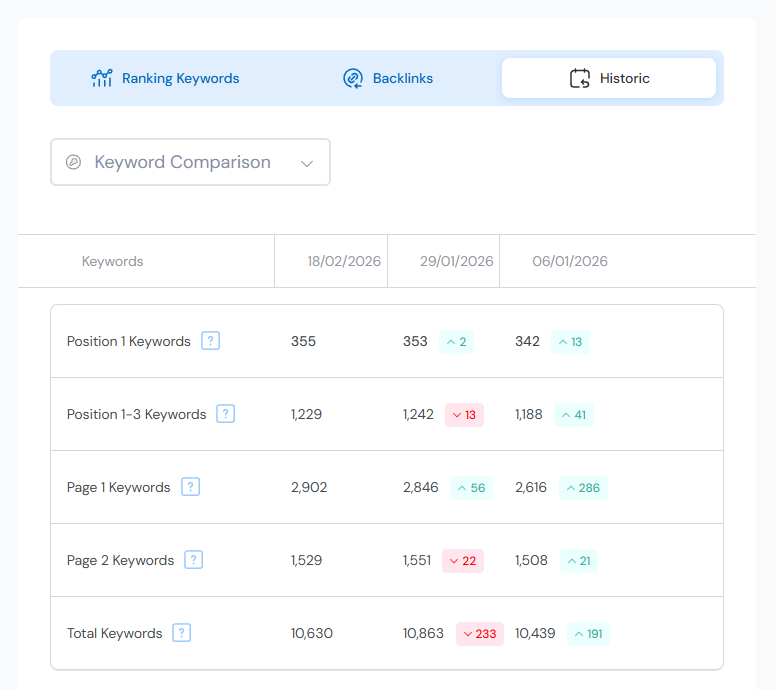
Backlink Comparison
16. This view will provide a summary of the backlinks for your competitor’s website: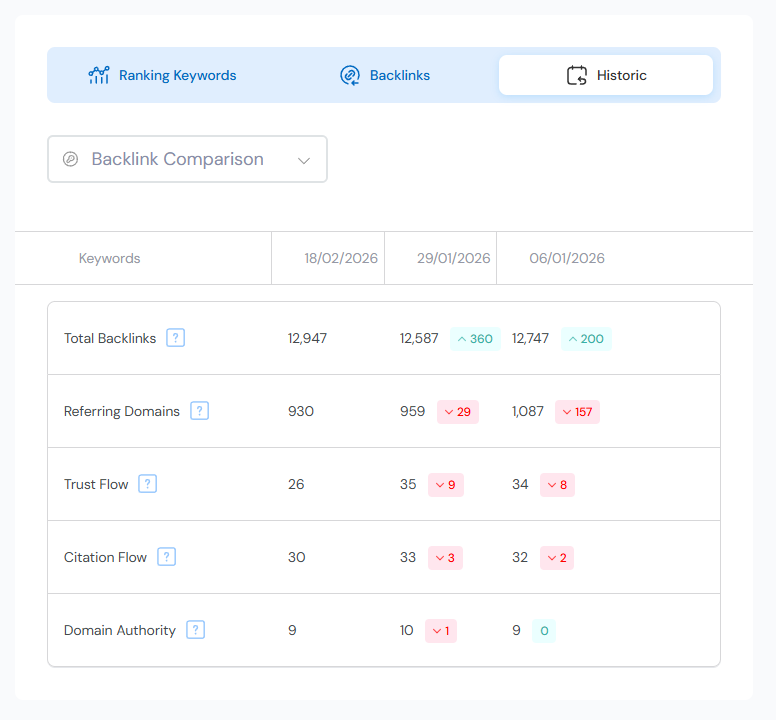
Competitor Analysis
17. Scroll to the top of the page and click the Compare Competitors button on the left-hand side: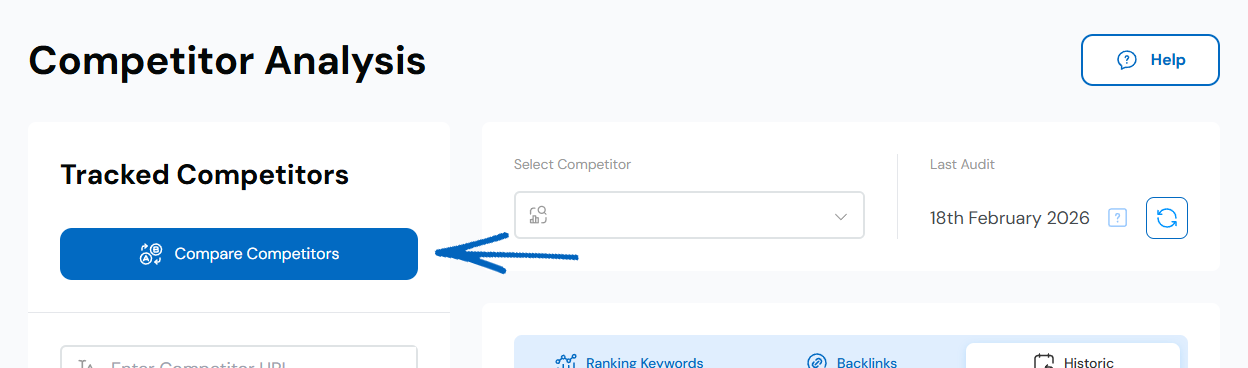
18. You’ll then see this page. At the top, you’ll see a button to Clear All filters on the right-hand side, and on the left, you’ll see a drop-down menu where you can choose between a Keyword Comparison and a Backlink Comparison – the page will load on the Keyword Comparison view by default. Below this you’ll notice there are four drop-down menus where you can select one of your competitors: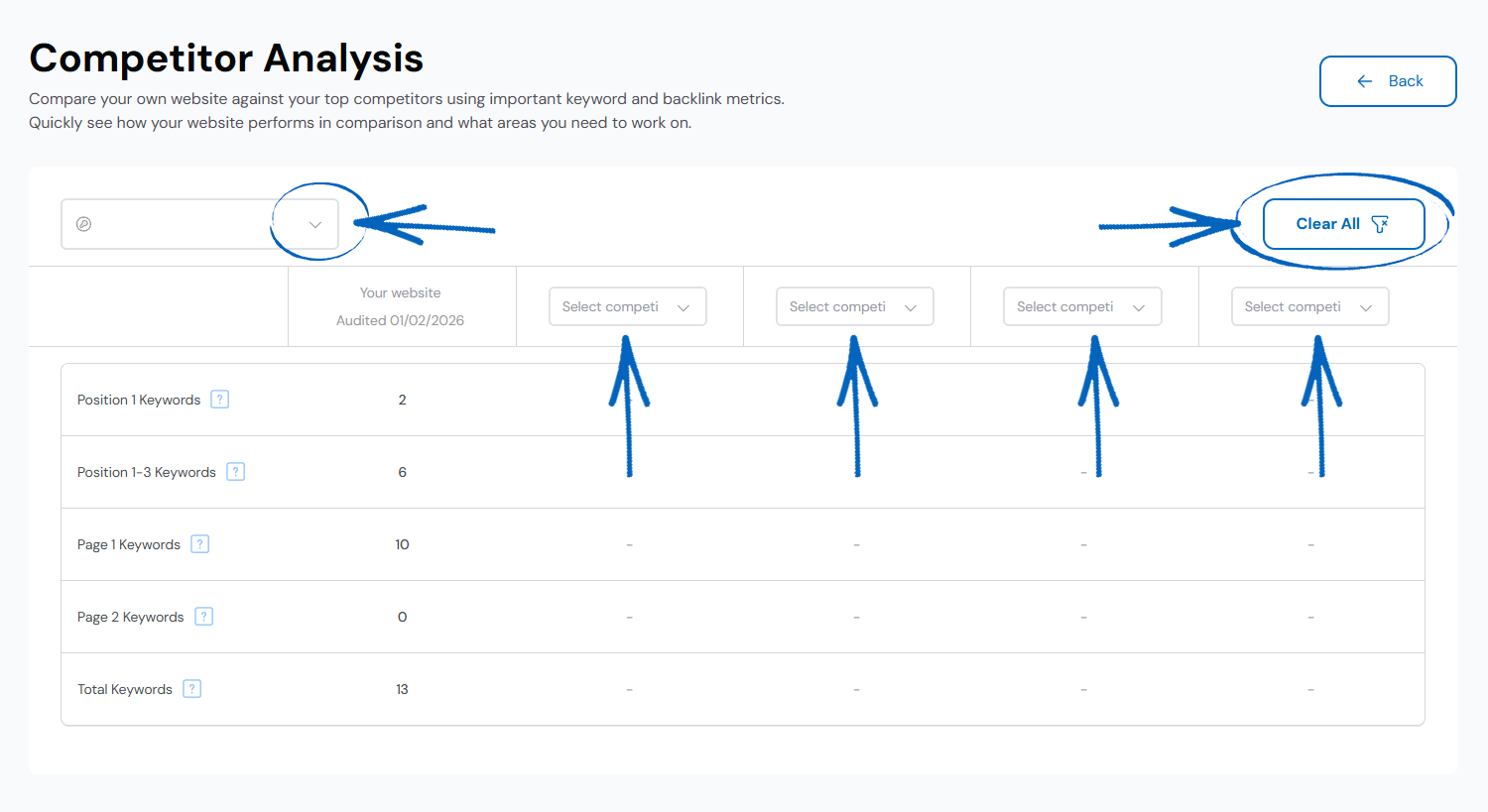
Keyword Comparison
Position 1 Keywords – Number of keywords in the 1st position in Google search results.
Position 1-3 Keywords – Number of keywords in the top 3 positions in Google search results.
Page 1 Keywords – Number of keywords on the 1st page of Google search results.
Page 2 Keywords – Number of keywords on the 2nd page of Google search results.
Page 3 Keywords – Number of keywords in the first 10 pages of Google search results.
19. You can now use the drop-down menu to select your own EKM online shop and three competitors, and compare your keywords to theirs: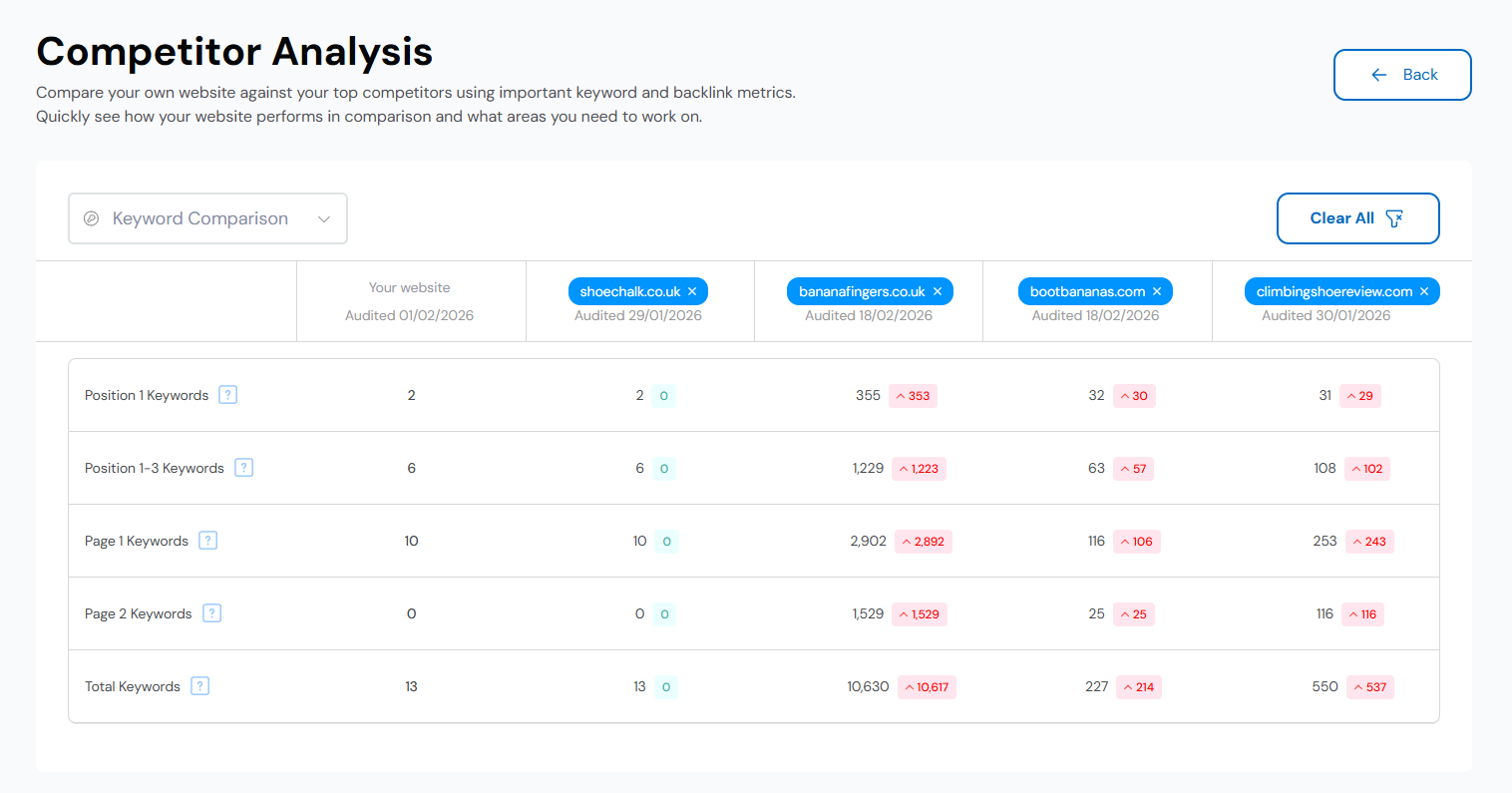
Backlink Comparison
20. If you amend the view to Backlink Comparison, you can compare backlinks with your competitors: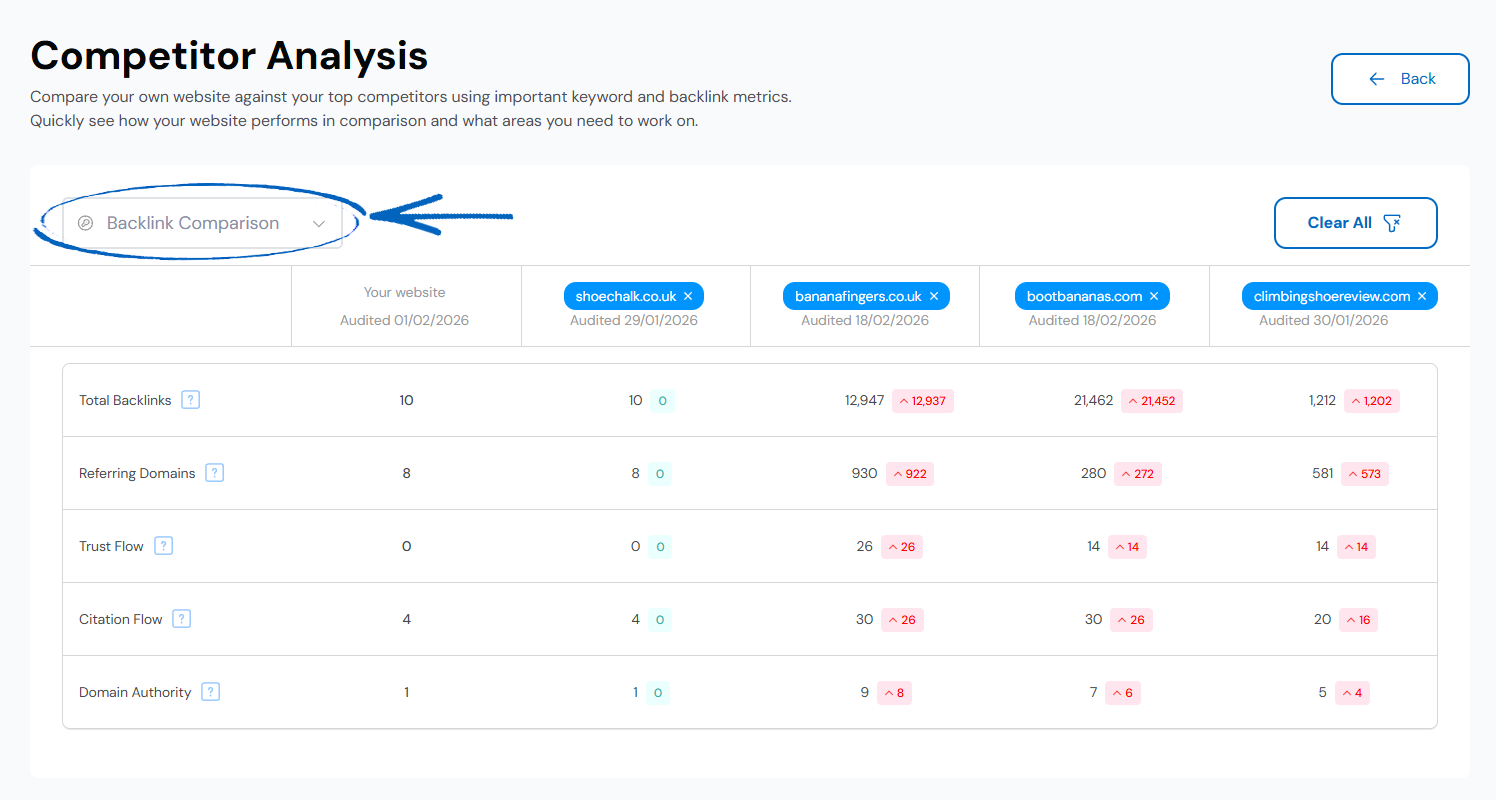
Total Backlinks – The total number of external backlinks pointing to the website.
Referring Domains – The total number of external domains that link to the website.
Trust Flow – A score based on the quality and relevance of the backlinks pointing at the website. The more relevant backlinks you have, the higher your Trust Flow score will be.
Citation Flow – A score based on the quantity and popularity of the backlinks pointing to the website. The more popular backlinks you have, the higher your Citation Flow score.
Domain Authority – This is a metric unique to EKM SEO, which calculates an overall score based on a combination of your Trust Flow and Citation Flow.
21. To change the filters, click Clear All on the top right-hand side, or alternatively, click the Back button to return to the previous page:
[more]
[/more]
[contact]If you need our help with your EKM online shop, contact the Customer Support Team, who can point you in the right direction. Our opening hours are 9 am - 5.30 pm Monday to Friday, for telephone calls, live chats, and emails. Outside of these hours, you can leave a message for us in the live chat window or email support@ekm.com, and we will answer as soon as possible. If you'd like to suggest a feature or an upgrade on any of the EKM platforms, please let us know on the EKM Suggestions Board. [/contact]