
[intro]Use Seb AI’s Changelog to view all the tasks that Seb AI has completed for you. [/intro]
When you have approved Seb AI to complete a task for you on the Approval Centre, you’ll be able to view a list of all the tasks that have been completed on the Changelog.
1. From the dashboard, click Seb AI, and select Changelog from the drop-down menu:
2. On this page, you’ll see a list of all the tasks Seb AI has completed. On the left-hand side, you can click in the From and To fields to amend the dates to see when tasks were completed during a specific period. On the right-hand side, you can click to download a CSV file of the completed tasks and view your Google Business Profile Listing. Click View on a completed action: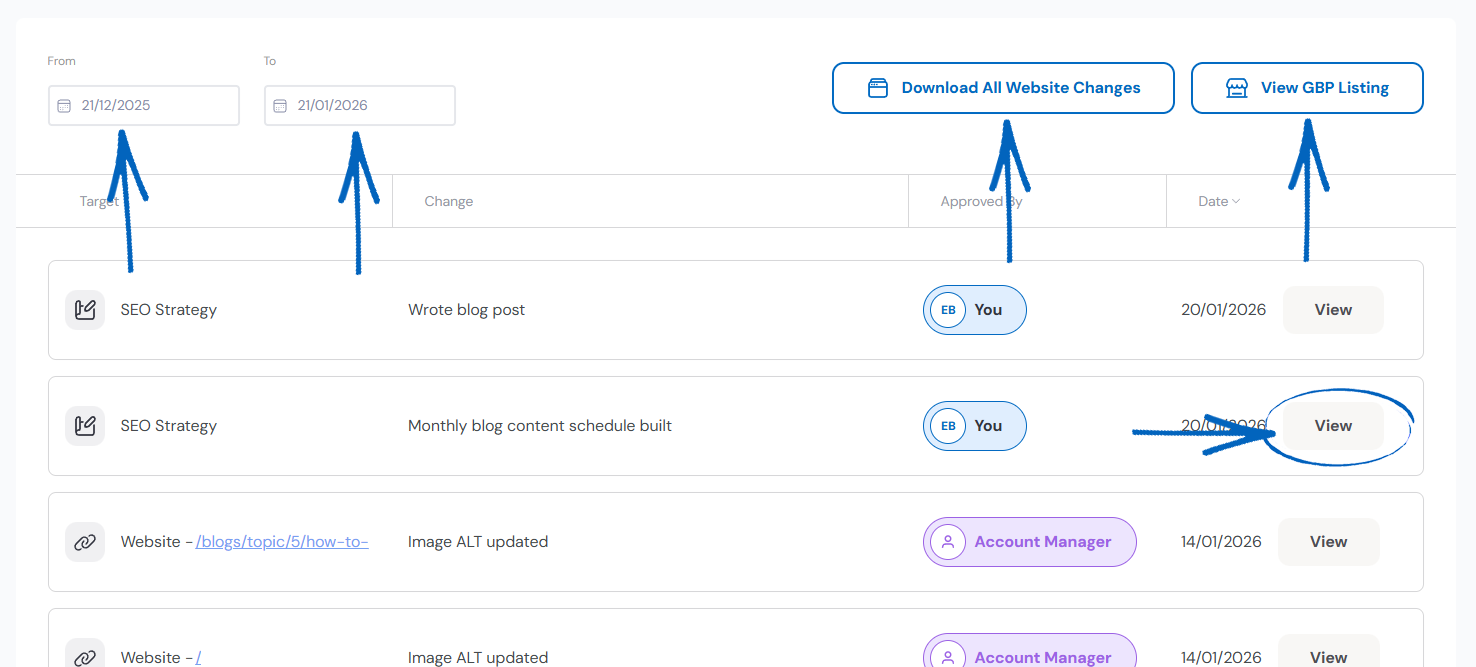
3. A modal will then appear, providing details of that action. You can scroll through the details and click Close when you’re done: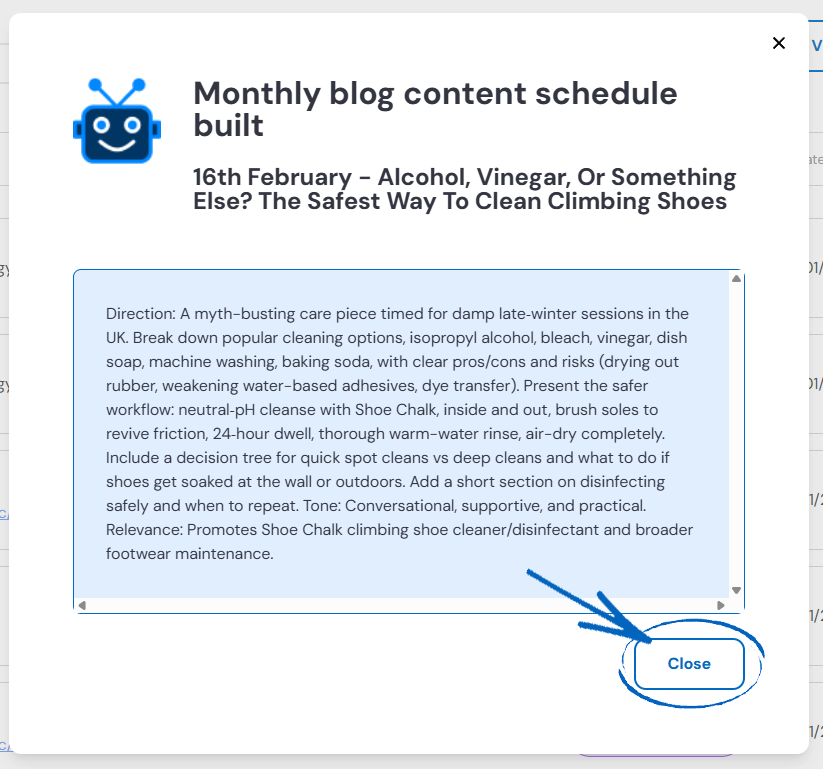
[more]
[/more]
[contact]If you need our help with your EKM online shop, contact the Customer Support Team, who can point you in the right direction. Our opening hours are 9 am - 5.30 pm Monday to Friday, for telephone calls, live chats, and emails. Outside of these hours, you can leave a message for us in the live chat window or email support@ekm.com, and we will answer as soon as possible. If you'd like to suggest a feature or an upgrade on any of the EKM platforms, please let us know on the EKM Suggestions Board. [/contact]