
[intro] Use priorities to focus on the pages that matter most and the Updated Pages view to track what’s changed. This guide explains how prioritisation works, what Updated Pages displays, and how ordering is decided. [/intro]
[summary]
- Available Pages
- Prioritised Pages
- Updated Pages
- Frequently Asked Questions
[/summary]
1. From the dashboard, click Seb AI and select Page Prioritisation from the drop-down menu:
Available Pages
2. You’ll then see three tabs. Click Available Pages: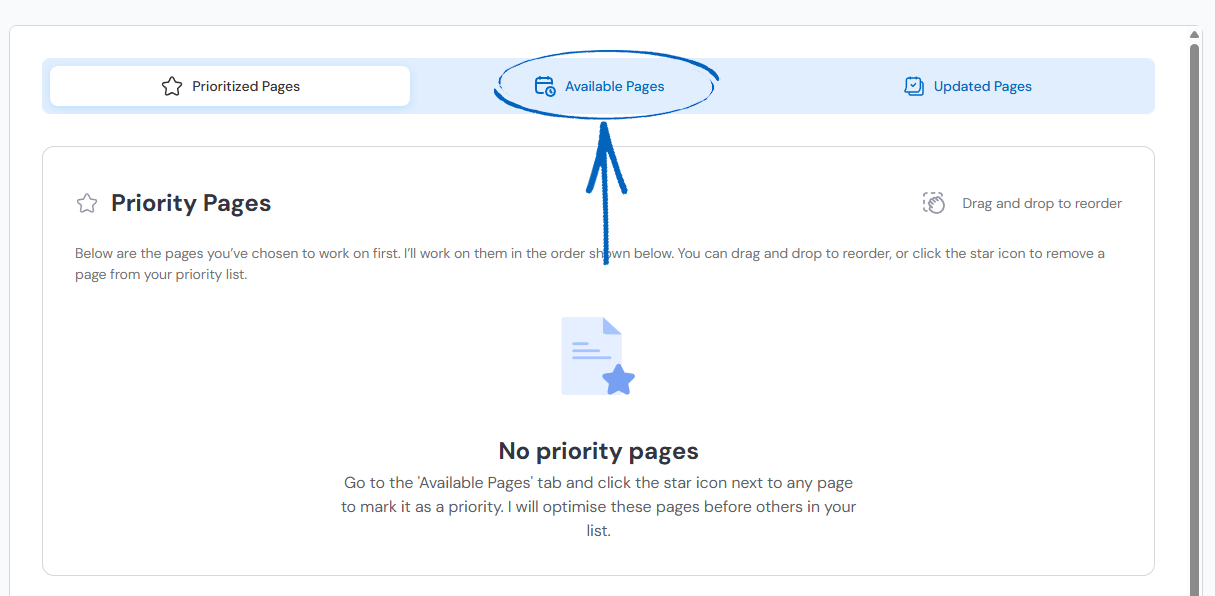
3. You’ll then see a list of page URLs from different pages of your EKM online shop. These can be webpages, product pages, category pages or blog posts. These pages will be listed in order based on which Seb AI thinks requires the most attention. Click the star next to any pages you would like Seb to work on first, or use the search field in the top right-hand corner to locate a specific URL: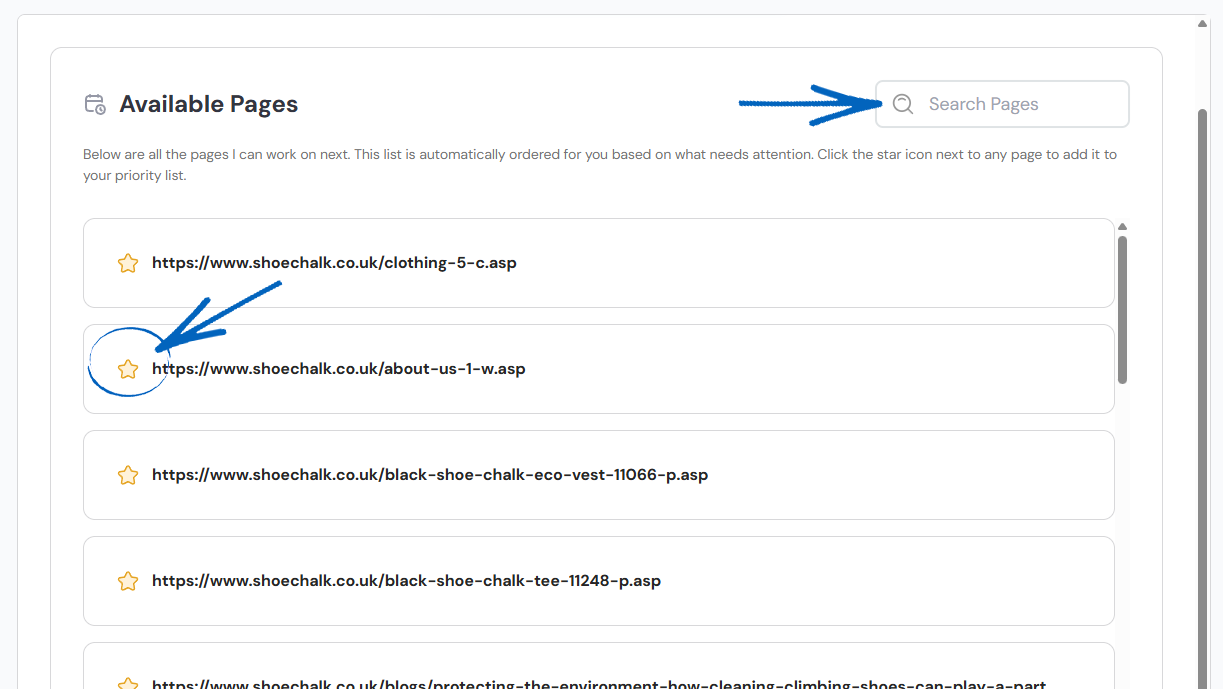
[tips]If you’re not sure which pages to select first, it’s a good idea to prioritise pages related to your current campaigns or highest value keywords. If you’re not sure what these are yet, work on your content in this order:
| Page Type: | URL Contains: |
| Webpages – About Us, Contact Us, etc. | -w.asp |
| Blog Posts | /blogs/ |
| Category Pages | -c.asp |
| Product Pages | -p.asp |
[/tips]
Prioritised Pages
4. When you have finished selecting your pages, scroll to the top of the page and click the Prioritised Pages tab: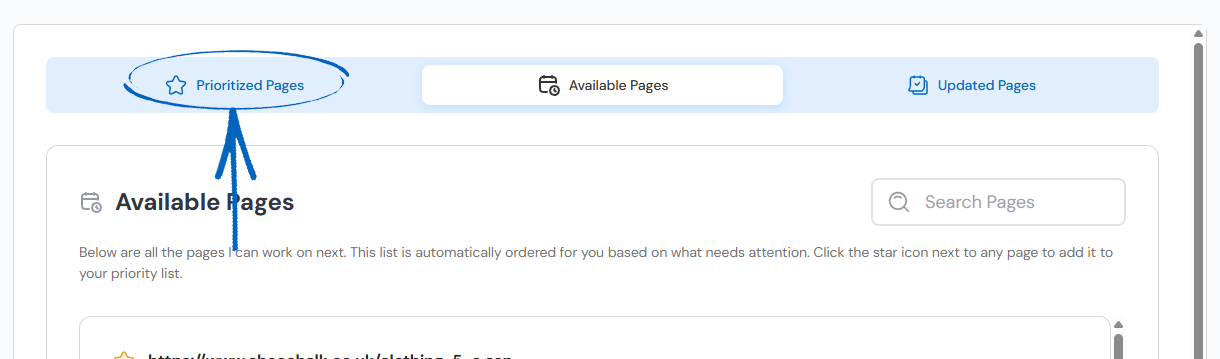
5. You’ll then see a list of the pages you selected. Seb AI has sorted these pages for you and labelled them by the month they need your attention. This is based on the time you allocated to SEO for your EKM online shop during the onboarding process. You can rearrange these pages by clicking and dragging each, using the symbol of six dots on the right-hand side: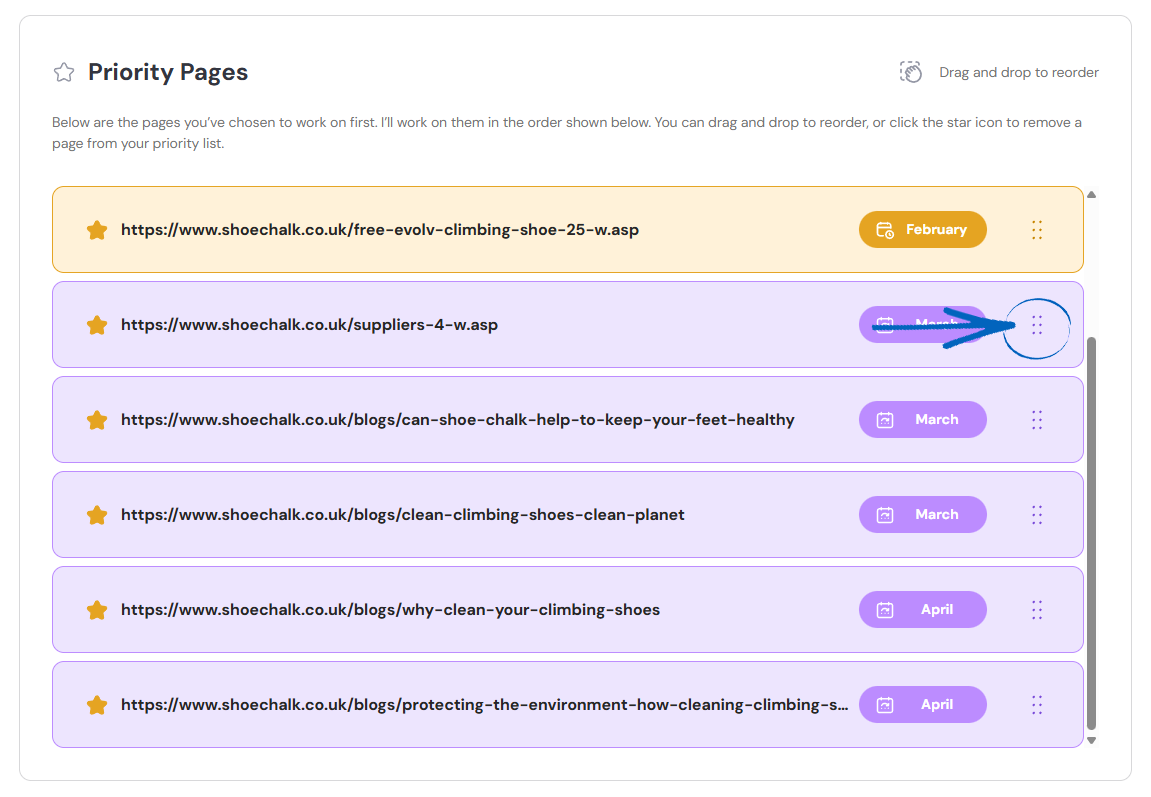
Updated Pages
6. Updated Pages highlights pages where Seb AI has detected changes and worked on their SEO. Scroll to the top of the page and click the Updated Pages tab:
7. You’ll then see a list of pages that Seb AI has worked on already and suggested changes for: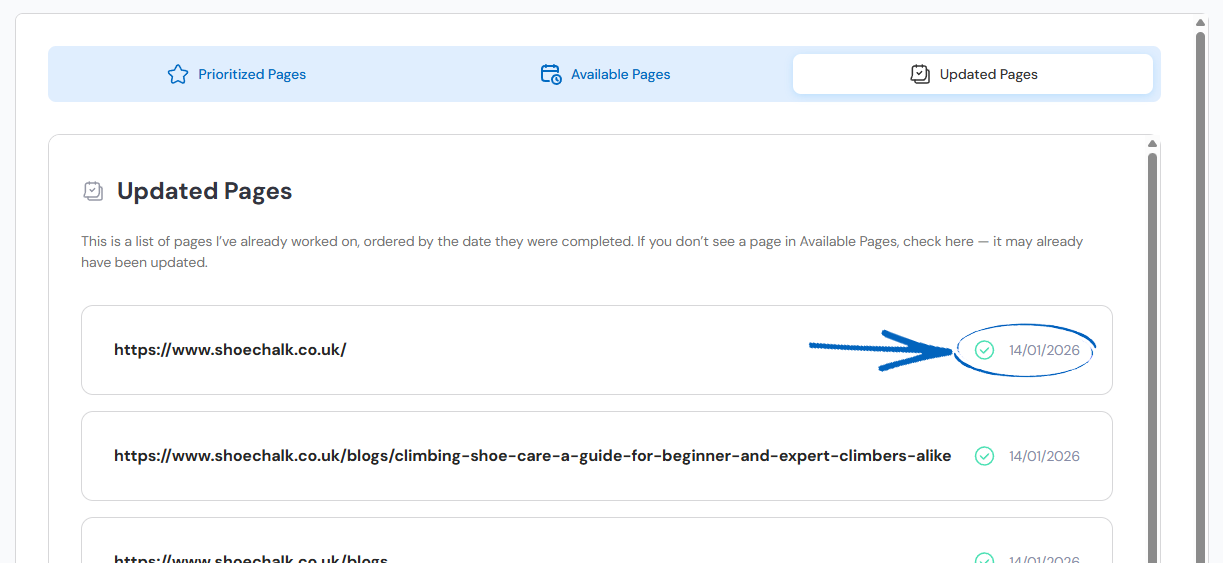
[tips] Review the Updated Pages regularly, so changes don’t pile up. [/tips]
Frequently Asked Questions
A page shows in Updated Pages, but still has actions left - why?
Updated Pages can appear when Seb AI detects a change worth reviewing. Some recommended actions may still be outstanding; complete them from the page’s action list.
Why does my page not appear in the prioritisation list?
There are three main reasons why this can occur:
- The page may already be prioritised.
- It may be excluded by filters or permissions.
- It may not meet current eligibility criteria (not recently updated or insufficient data, for example).
How does Seb AI order non-prioritised pages?
Non-prioritised pages are ordered using Seb AI’s internal relevance signals. For example, recent updates or potential impact. This helps surface the most promising pages first.
Can I reorder my prioritised pages?
Yes. Drag and drop (or use the provided controls) in your priority list to set the order that makes sense for your goals.
Can I remove a page from my priority list?
Yes. Use the remove option on the prioritised page to send it back to the non-prioritised list. You can re-add it at any time.
[more]
[/more]
[contact]If you need our help with your EKM online shop, contact the Customer Support Team, who can point you in the right direction. Our opening hours are 9 am - 5.30 pm Monday to Friday, for telephone calls, live chats, and emails. Outside of these hours, you can leave a message for us in the live chat window or email support@ekm.com, and we will answer as soon as possible. If you'd like to suggest a feature or an upgrade on any of the EKM platforms, please let us know on the EKM Suggestions Board. [/contact]